HelixFeed
Fusion 360 Add-In
HelixFeed reads the tools and operations already in your Fusion 360 setup, calculates the recipe, and writes feeds and speeds back — one click.
Watch the Demo
The Problem
Diameter, flute count, tool type, and operation context are already sitting in Fusion. HelixFeed reads them instead of asking you to type them again.
Every operation. Every tool. One click.
See It In Action
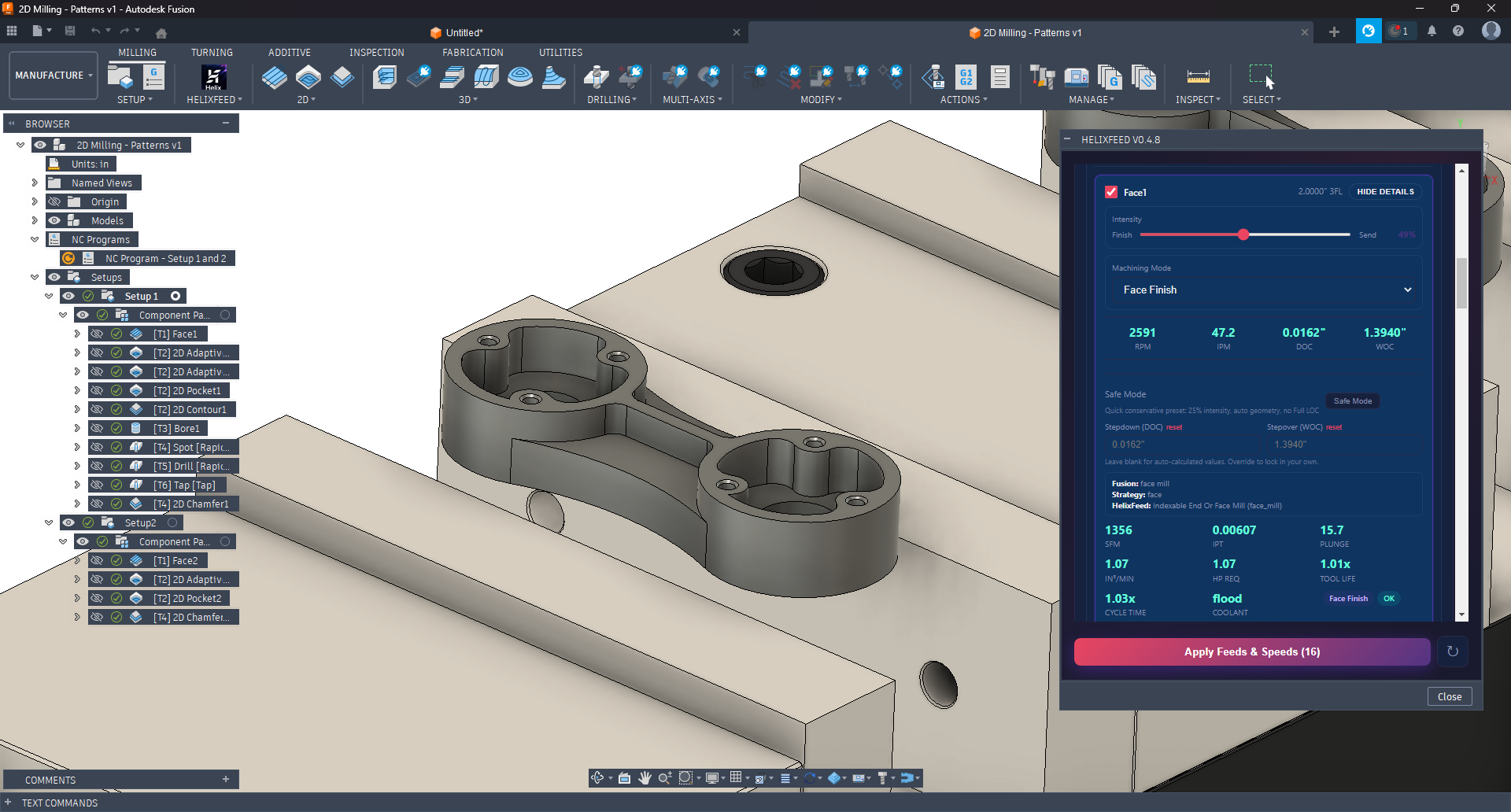
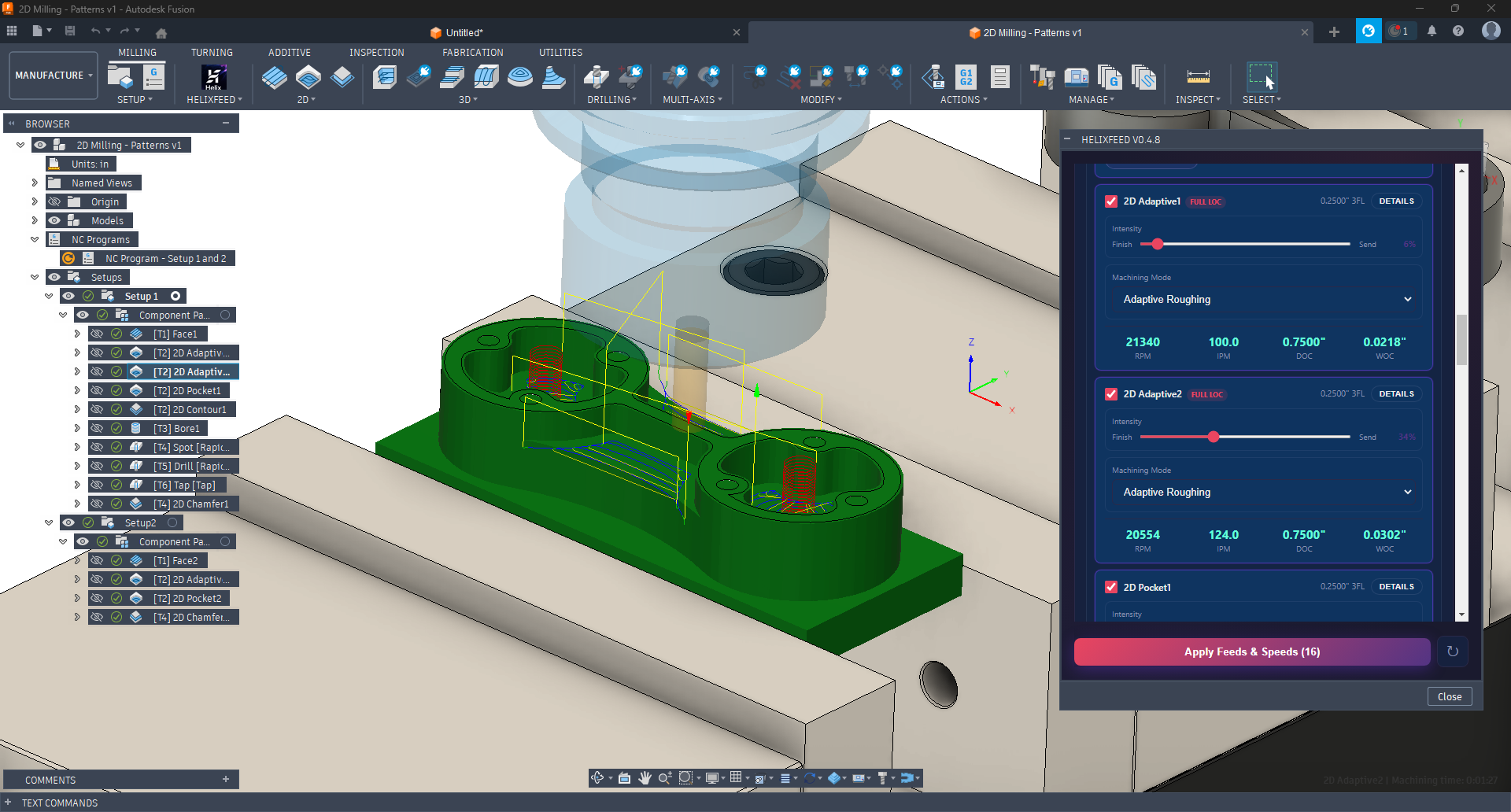
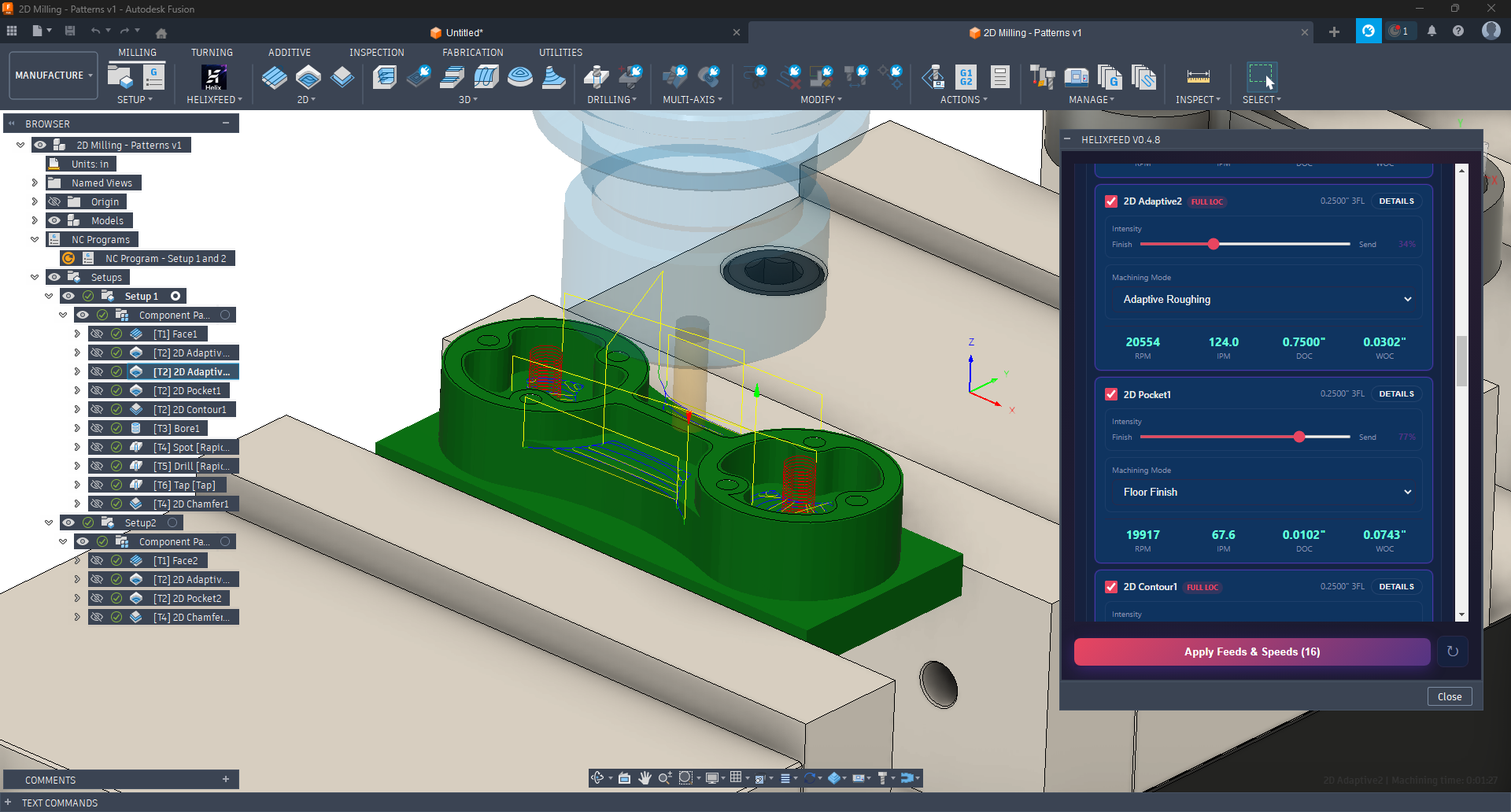
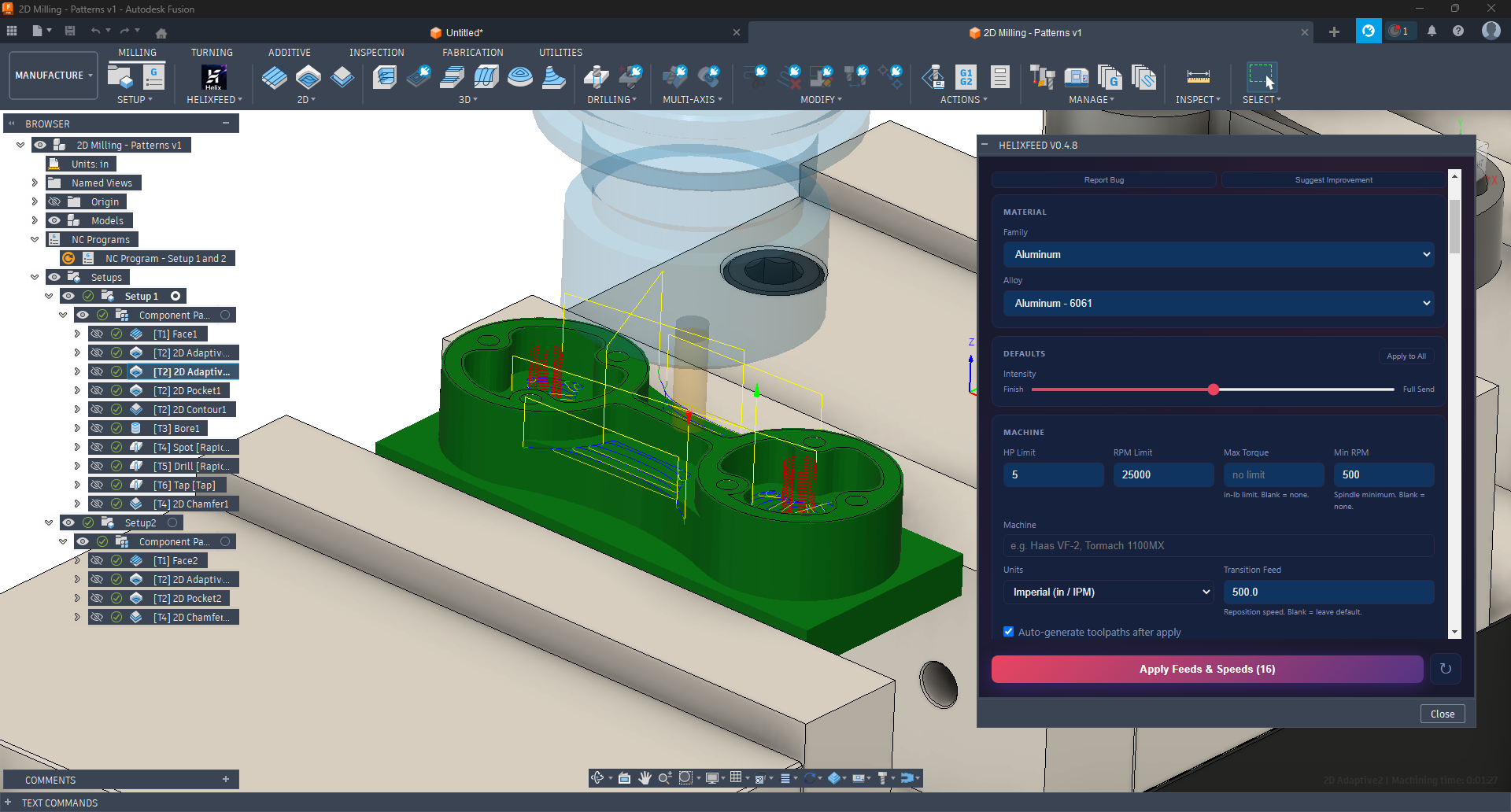
No separate app. No tab switching. HelixFeed runs as a native Fusion 360 panel alongside your toolpaths.
Scroll to see more →
Features
HelixFeed starts with the real tools and operations in your CAM setup, calculates the recipe, and writes the results directly back to your operations.
Pulls tool diameter, flute count, cutter type, and operation context from Fusion before calculating. No copy-paste. No duplicate tool entry.
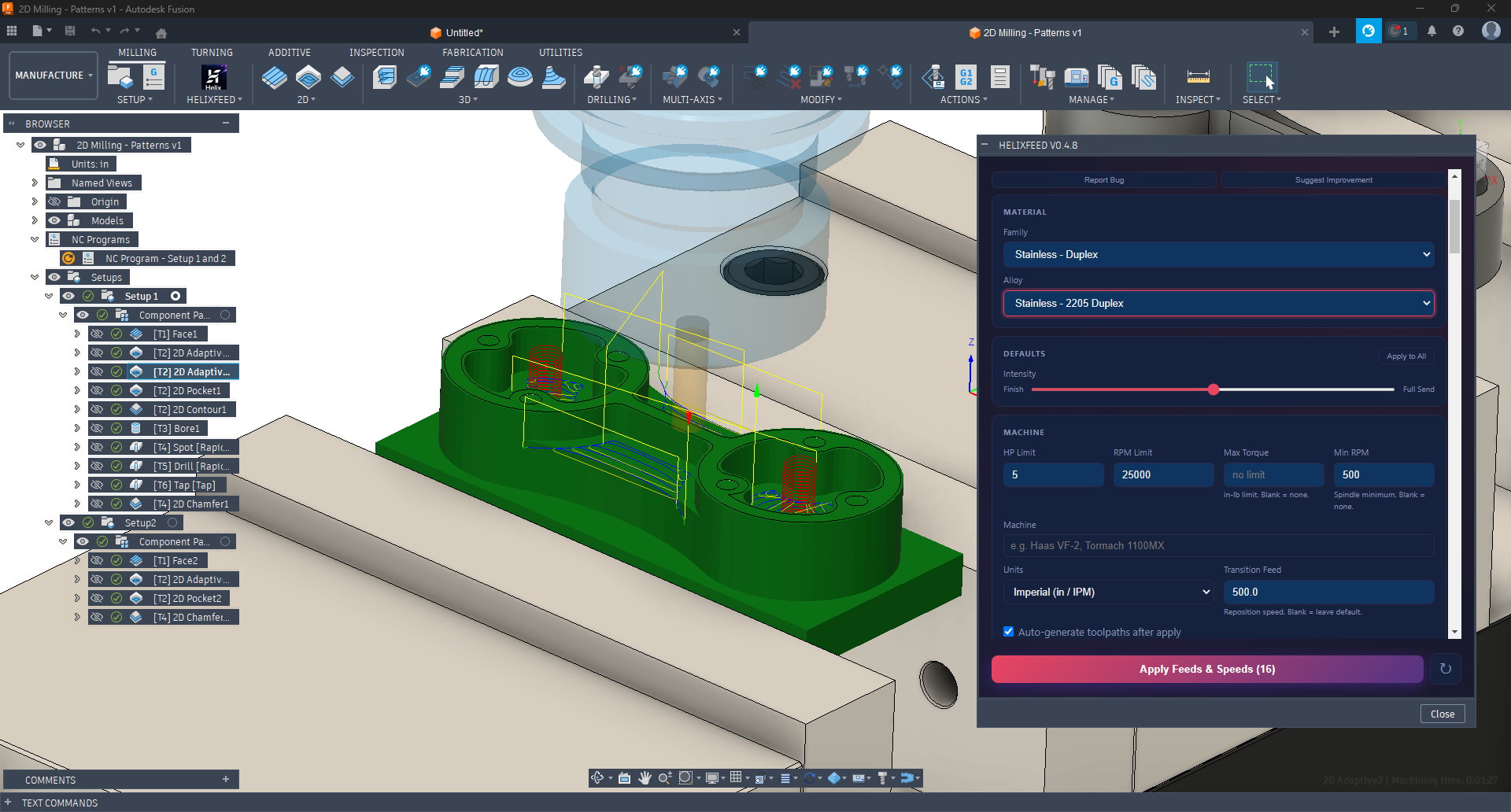
From 6061 aluminum to Inconel 718. Hardness-adjusted SFM, machinability scaling, and alloy-specific parameters from Machinery's Handbook.
Chip thinning compensation, deflection limiting, resonance detection, torque constraints. Not a lookup table — real machining math.
Set your HP, max RPM, max torque, and min RPM. The engine shapes the recipe to what your machine can actually do.
Auto-detects tool type and machining strategy from your CAM setup. End mills, face mills, ball nose, drills, and chamfer mills are handled automatically.
Dial from finish to full send. The engine adjusts DOC, WOC, and chip load together — not just feed rate. One control, coherent recipe.
How It Works
Download the add-in and drop it in your Fusion 360 AddIns folder. Takes two minutes.
HelixFeed reads the tools and operations in your active Fusion setup, then you choose material and machine limits.
One click writes RPM, feed, depth, width, plunge, and ramp to every operation in your setup.
Under the Hood
HelixFeed's engine is built on published machining science and real cutting data — not a spreadsheet someone copied off a forum.
Free Beta Access
Sign up, grab your key, install the add-in. No waiting, no approval, no credit card — you're cutting chips today.
No waiting. Sign up and your key appears right here.
Install HelixFeed in under a minute. Paste your API key when prompted and start calculating.
Download HelixFeed v0.7.1HelixFeed is under active development. Recommendations are advisory starting points — always verify feeds, speeds, and machine limits before cutting. Your feedback shapes what gets built next.